Car Driving Ultimate Controls
Master every key before you chase top speed or mile badges.
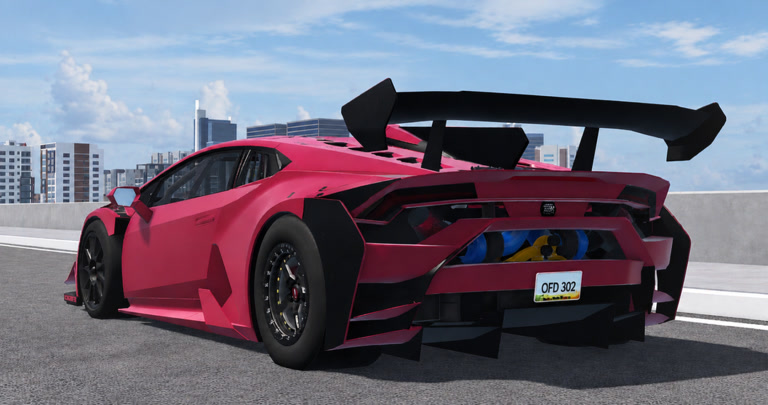
Learning the Car Driving Ultimate control set once saves hours of frustration. The game is a free Roblox vehicle sim with more than 120 cars, flying vehicles, transmission modes, and camera tools that reward players who read the key map carefully.
This page is the definitive controls reference. Pair it with the Getting Started guide for your first session, then move into How to Drift once traction control makes sense.
Core driving keys
| Key | Action |
|---|---|
| W | Accelerate / move forward |
| A | Steer left |
| S | Brake / reverse |
| D | Steer right |
| P | Handbrake |
| M | Toggle automatic / semi-automatic transmission |
| T | Toggle traction control (TCS) |
| Q / E | Up and down (flying vehicles) or shift assist in semi mode |
| V | Cycle camera |
| B | Lock camera |
| Shift + P | Free camera |
These bindings come from the official Roblox game description for place 11145865512. Mobile players get on-screen equivalents; the same logic still applies.
Transmission modes explained
Press M to switch between automatic and semi-automatic.
Automatic shifts for you. It is the best choice for new drivers, mile grinding, and exploring the large open map without thinking about RPM.
Semi-automatic lets you decide when to shift with Q and E. Competitive drivers prefer it for drag races, track laps, and holding a gear through a long drift. Practice on a free car before you spend Robux on Track Pass or Admin Cars listed in the tier list.
Traction control and handbrake
T toggles traction control. With TCS on, the car grips more and is easier to keep straight at high speed. With TCS off, the rear steps out more easily — exactly what you want for burnouts and drifts. Official community replies often tell players to turn TCS off when they ask how to do burnouts.
P engages the handbrake. Tap it while turning to rotate the car into a slide, then feather throttle to hold the angle. Full technique lives on the How to Drift page.
Camera tools
V cycles chase, hood, and other angles so you can find a view that fits highway cruising or tight city corners.
B locks the camera so it stops swinging while you focus on a line.
Shift + P opens free camera for cinematic shots and map scouting. Use it when hunting new roads for the Miles Badges grind or when recording clips for Discord.
Flying vehicles
Some vehicles leave the ground. Q raises altitude and E lowers it while WASD still handle forward motion and yaw. Practice altitude control in a quiet area before racing friends — collisions at height waste time and reset momentum.
Mobile and controller tips
Roblox supports touch and gamepad input. Map accelerate and brake to comfortable thumbs, keep handbrake nearby, and test transmission toggle before joining a busy server. Server size is 16 players, so traffic can appear quickly near popular spawn points and dealerships.
If a control feels wrong after an update, rejoin the experience from the official Roblox game page and re-check the description for any newly listed binds.
Practice routine (15 minutes)
- Spawn a free car from the garage.
- Drive a straight road with TCS on, then toggle TCS off with T and feel the difference.
- Practice three handbrake turns with P.
- Switch to semi-automatic with M and shift manually for one lap.
- Cycle cameras with V, lock with B, then try free cam with Shift + P.
Finish by opening Customization if you want your ride to look unique, or browse Best Free Cars for stronger stock options.
Related pages
- Getting Started — first-hour checklist
- How to Drift — TCS off + handbrake technique
- Miles Badges — 500 / 1000 / 4500 mile goals
- Gamepasses — Track Pass, Admin Cars, Classic, F1
- Scripts Hub — third-party tools (use at your own risk)
- Updates Hub — patch notes that may change handling
Master the binds first. Speed comes after control.
Frequently Asked Questions
Quick answers about codes, cars, drift, and progression.
What are the default Car Driving Ultimate controls?
WASD to drive, P for handbrake, M for transmission, T for traction control, V/B for camera, Q/E for altitude or shifting, and Shift+P for free camera.
How do I switch to manual or semi-automatic gears?
Press M to toggle automatic and semi-automatic. In semi mode, use Q and E to shift.
Why can I not drift or burnout?
Turn traction control off with T, then use the handbrake (P) while steering into the slide.
Does mobile use the same controls?
Touch controls mirror the same actions. Layout differs, but handbrake, TCS, and transmission toggles still exist in the UI.
Where should I practice after learning the keys?
Follow Getting Started, then try How to Drift and Best Free Cars before buying gamepasses.