How to Redeem Car Driving Ultimate Codes
Practical redemption flow when a real promo string appears — including Discord-first drops.
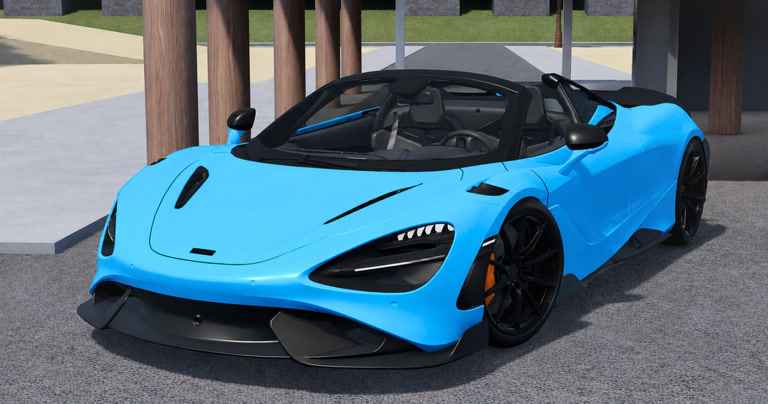
Car Driving Ultimate does not always keep a permanent, obvious codes button on every build. Many drops are announced on Discord first, then players hunt for a shop, social, or codes panel inside the live session. This guide walks through the patterns that work in CDU-style driving games and what to do when the box is missing, the code fails, or the reward never shows.
Before you start, open the Codes Hub to confirm a string is actually active. As of November 2026 the hub lists no confirmed working codes. Redeeming random strings copied from Ultimate Driving will never help here.
Step 1 — Get a verified code
- Join the official Discord: discord.gg/VCbcD86y.
- Read announcement / codes channels for a fresh post from staff or the media team.
- Optionally cross-check @cardrivingultimateofficial descriptions and pins.
- Copy the code carefully. Case usually matters; trailing spaces break redemption.
If the only place you saw the code is an unverified screenshot with no Discord receipt, wait. False codes waste attempts and confuse the community.
Step 2 — Join a live server
Launch Car Driving Ultimate from the Roblox page (place 11145865512). Servers hold up to 16 players. Finish loading into the open map before you open menus — some UI elements only appear after your character and garage finish initializing.
Mobile and desktop share the same redeem logic; only the tap targets differ. On phone, expand the side HUD carefully so you do not accidentally open camera or transmission toggles while hunting for Shop.
Step 3 — Find the codes UI
CDU builds commonly surface rewards through one of these patterns:
- Shop button on the side or top HUD, then a Codes or Social tab inside the shop window.
- Social / Twitter / Discord style panel that includes a text field for promo strings.
- A dedicated Codes icon after a major update when the developers re-enable gifts.
Because layouts change with optimization patches and new-car updates, scan every menu label once after each patch. If Discord says “redeem in-game” but you see no field, rejoin once, then ask in Discord whether the box is desktop-only for that drop.
Step 4 — Paste and redeem
- Tap or click the text field.
- Paste the code exactly as posted — no extra spaces, no quotes.
- Press Redeem, Submit, or the equivalent confirm button.
- Watch for a success toast, cash popup, or item grant.
- Open your garage or inventory to confirm ownership before leaving the server.
If the UI says the code was already used on your account, stop. Most Roblox promos are one redeem per user. Sharing one code across alts may still be limited by the developer’s backend rules.
Troubleshooting failed codes
| Symptom | Likely cause | What to try |
|---|---|---|
| Invalid / not found | Typo, wrong game, or expired | Recopy from Discord; confirm it is CDU not another driving title |
| Already redeemed | Prior success on this account | Check garage; do not spam retries |
| No codes field | Build without gift UI | Rejoin; update Roblox client; ask Discord if drop is delayed |
| Success toast but no item | Lag or menu cache | Respawn car, re-open garage, soft rejoin |
| Soft lock / blank HUD | Script conflict or UI bug | Disable third-party injectors; rejoin clean |
Never run gamepass bypass or car spawner tools hoping they unlock promo rewards. Those scripts target pass GUIs and carry ban risk; they are unrelated to legitimate codes.
Discord-first workflow (recommended)
- Keep Discord open on a second monitor or phone.
- Enable notifications for the CDU codes or announcements channel.
- When a code posts, join Roblox within minutes — limited drops can expire the same day.
- Redeem, screenshot the success message, then optionally share confirmation in Discord so others know it still works.
- Return to this wiki’s Codes Hub later; we update the active table only after verified posts.
What to do while there are no codes
Use the downtime productively:
- Learn the full controls map (WASD, Q/E flight, M transmission, P handbrake, T traction, V/B camera, Shift+P free cam).
- Complete Getting Started and pick a strong free car from the best free cars list.
- Grind toward miles badges (500, 1000, 4500).
- Compare Robux value on gamepasses before buying Admin or Track Pass.
Redeeming is simple once a real code exists. The hard part is ignoring fake lists and staying glued to Discord. When CDU staff publish a string, follow the steps above, paste once, and confirm the reward before you leave the server.
Frequently Asked Questions
Quick answers about codes, cars, drift, and progression.
Where is the codes button in Car Driving Ultimate?
It may appear under Shop, Social, or a dedicated Codes tab depending on the build. If nothing shows, check Discord — many drops are announced there first.
Why does my code say invalid?
Common causes are typos, trailing spaces, expired drops, or codes meant for a different Roblox driving game. Recopy from the official Discord post.
Can I redeem the same code on multiple accounts?
Usually each Roblox account gets one redeem. Some promos are limited further by the developer. Do not expect infinite alt claims.
Do I need a gamepass to redeem codes?
No. Promo codes are separate from Admin Cars, Track Pass, Classic Pass, and F1 Pass purchases.
The code worked but I see no reward — what now?
Re-open the garage, respawn your car, or soft rejoin the server. If it still missing, report the code and your username in Discord with a screenshot.